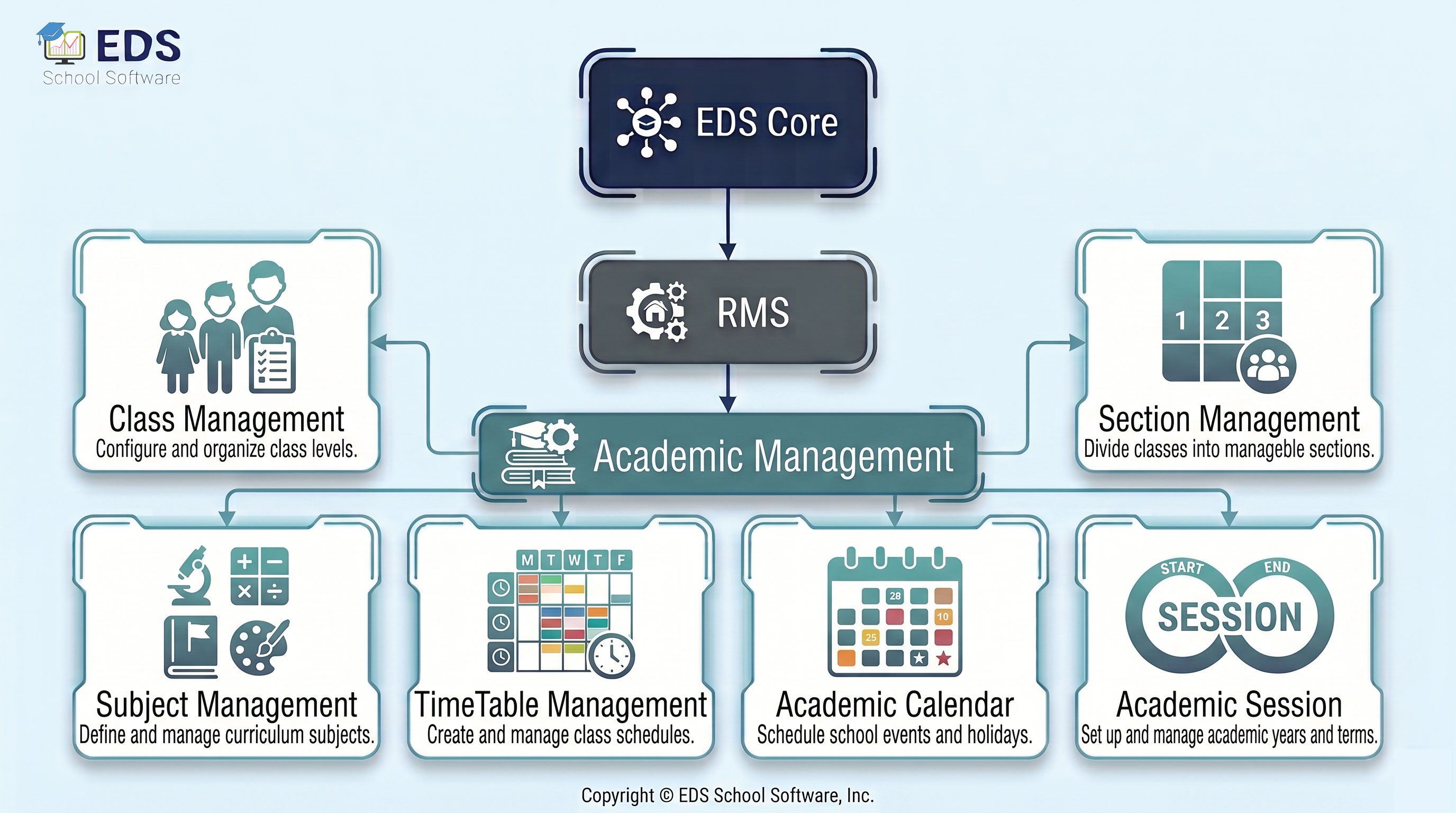
Academic Management System for Schools

Every school runs on an academic structure. Classes, sections, subjects, timetables and the academic calendar form the foundation of daily school operations. When this structure is not organized properly, everything else suffers, attendance marking gets confusing, exam setup takes longer and timetable clashes waste teaching time.

EDS Academic Management System gives schools a clean, organized foundation to build on. Set up your classes, sections and subjects once and everything else in the system works from that structure automatically.

What is an Academic Management System?

An academic management system is software that organizes the complete academic structure of a school. It defines classes, sections, subjects and their relationships, manages the school timetable, maintains the academic calendar and keeps track of academic sessions. All other modules in EDS depend on this structure to work correctly.

How EDS Academic Management System Works

When you set up EDS for the first time, academic management is where you start. You create your classes like Class 1 to Class 10, add sections like A and B, assign subjects to each class and set the academic session dates. Once this is done, every other module, attendance, fees, exams, timetable, uses this structure automatically. You never have to enter class or subject information twice.

EDS Academic Management: Complete Module Breakdown

EDS Academic Management covers 6 sub-modules. Each handles a specific part of the academic setup for schools and colleges.

🏫 Class Management

Create and manage all classes in the school from one place.

📂 Section Management

Add sections to each class and assign students and teachers.

📚 Subject Management

Define subjects for each class and assign subject teachers.

🗓️ Timetable Management

Create class timetables and assign periods to subjects and teachers.

📆 Academic Calendar

Set holidays, events and important dates for the full school year.

🔄 Academic Session

Manage academic year sessions and switch between years smoothly.

Key Features of EDS Academic Management System

Why Getting Academic Structure Right Matters

In EDS, academic management is the base of the whole system. If classes and subjects are set up correctly, every other module works without friction. Attendance is marked by class. Fee structures are assigned by class. Exams are created by class and subject. Timetables are built around sections.

Schools that set up EDS Academic Management properly from the start spend much less time on configuration later. The one-time setup pays off throughout the entire academic year.

Connected EDS Modules

📝 Examination Management

Exams are created using classes, sections and subjects from academic setup.

📋 Attendance Management

Attendance is marked class-wise and section-wise from the academic structure.

💰 Fee Management

Fee structures are assigned per class as defined in academic management.

Set Up Your School Structure in Minutes

Start with EDS Academic Management and build your entire school system on a solid foundation. Free trial available, no credit card, no installation required.

Get Started Free View Pricing

Questions? WhatsApp: +92-318-5141503

Frequently Asked Questions — Academic Management System

Common questions about EDS Academic Management System, classes, sections, subjects, timetable and academic sessions for Pakistani schools.

What does an academic management system do?

An academic management system organizes the core structure of a school. EDS Academic Management handles classes, sections, subjects, timetables, academic calendar and academic sessions. This structure feeds into all other modules like attendance, fees and exams automatically.

Yes. EDS Timetable Management lets you create period-wise timetables for each class and section. Subjects and teachers are assigned to each period. The system checks for timetable clashes so no teacher is assigned to two classes at the same time.

EDS Academic Session module lets you create a new session for each academic year. Students can be promoted to the next class in bulk. Old session data remains accessible for records while the new session starts fresh.

Yes. EDS Academic Calendar lets you add holidays, events, exam dates and other important dates for the full school year. This calendar is visible to school staff and helps plan attendance and exam schedules accordingly.

Yes. The class, section and subject setup in EDS Academic Management is used by every other module automatically. Attendance is marked by class and section. Fee structures are set per class. Exams are created by class and subject. You set it up once and it works everywhere.

Still have questions?

Our support team is ready to help you configure academic management for your school, in Urdu or English.

Contact Support Schedule Free Demo