Keeping school finances in order is one of the most important tasks for any school administration. Fee collections, staff salaries, utility bills, maintenance costs and other expenses all need to be recorded, tracked and reported accurately.
EDS Accounts Management System gives schools a complete financial management tool built into the same platform as fees, payroll and all other modules. Every transaction in EDS is recorded automatically so the school always has accurate and up-to-date financial records.
A school accounts management system is software that records and manages all financial transactions of a school. It tracks income from fee collections and other sources, records all expenses, maintains a cash book and ledger, and generates financial reports like profit and loss statements and balance sheets. In EDS, the accounts module is connected to fees and payroll so transactions update automatically without any manual entry.
In EDS, the accounts module is not separate from the rest of the system. When a fee is collected in the fee module, it records in the accounts module as income automatically. When a salary is processed in payroll, it records as an expense automatically. School administration only needs to enter manual expenses like utility bills or purchases. Everything else updates on its own.
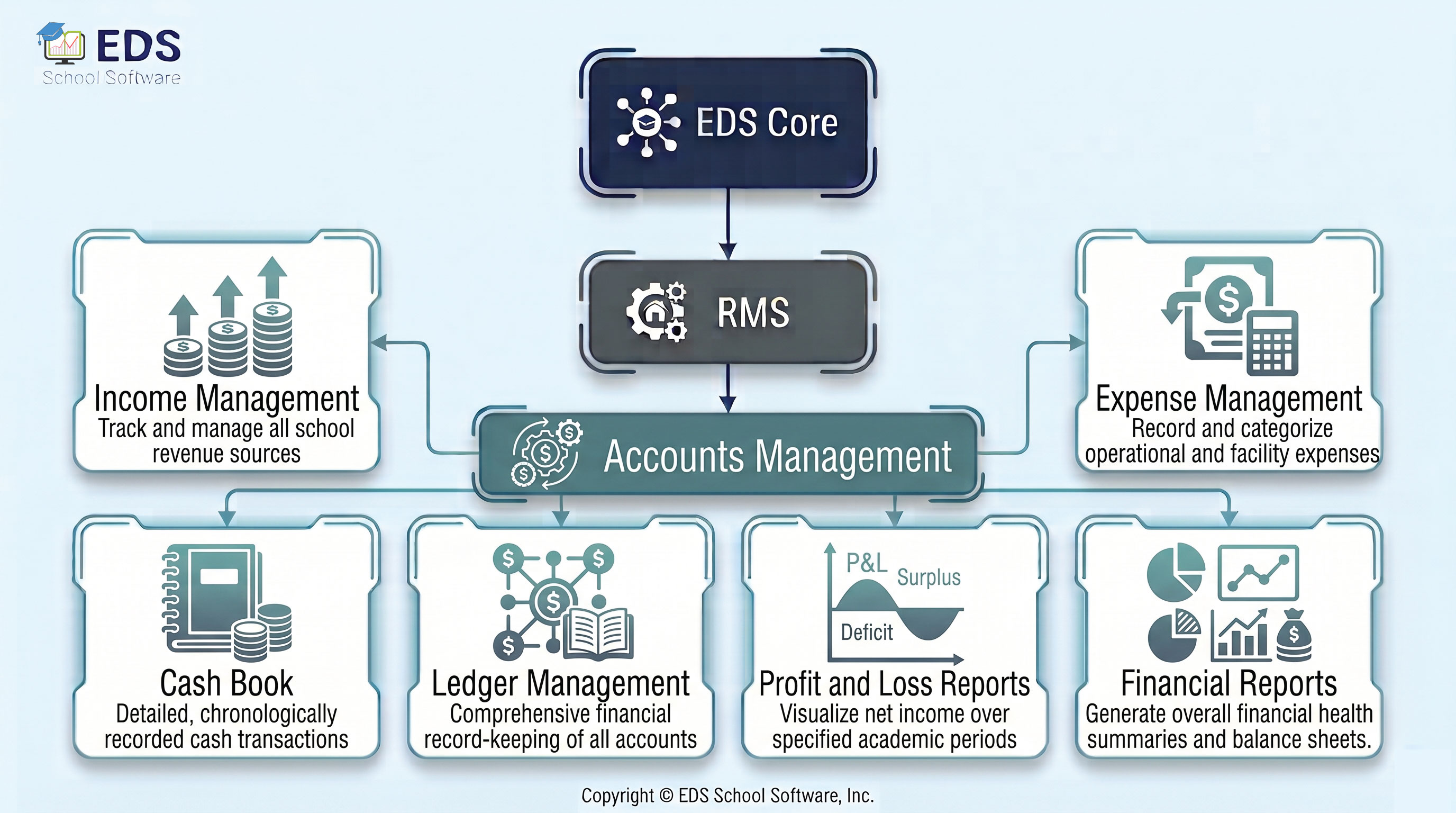
EDS Accounts Management covers 7 sub-modules. Each handles a specific part of school financial management.
Track all school income including fees, donations and other sources.
📉 Expense ManagementRecord all school expenses with categories and date-wise tracking.
📒 Cash BookView all cash transactions in order with daily opening and closing balance.
📖 Ledger ManagementMaintain category-wise ledger accounts for all income and expense heads.
📊 Profit and LossGenerate profit and loss reports for any date range with one click.
⚖️ Balance SheetView the complete financial position of the school at any point in time.
🗒️ Financial ReportsMonthly, quarterly and annual financial reports for school management.
Most small and medium Pakistani schools do not have a dedicated accountant. The school principal or administrator handles finances along with all other duties. Without a proper system, it is very easy to lose track of where money is going.
EDS Accounts Management is built for non-accountants. You do not need accounting knowledge to use it. Income from fees comes in automatically. You add expenses as they happen. At any time you can see how much the school earned, how much was spent and what the current balance is. At year end, financial reports are ready with one click.
All fee collections are recorded as income in accounts automatically.
💼 Payroll ManagementStaff salary payments are recorded as expenses in accounts automatically.
📈 Reports and AnalyticsFinancial data feeds into school-wide reports and analytics dashboard.
EDS Accounts Management tracks every transaction automatically. Always know where your school money is going. Free trial available — no credit card, no installation required.
Get Started Free View PricingQuestions? WhatsApp: +92-318-5141503
Common questions about EDS School Accounts Management System — income, expenses, cash book, financial reports and balance sheet for Pakistani schools.
EDS Accounts Management tracks all school financial transactions. It records income from fee collections automatically, allows manual expense entry, maintains a cash book and ledger, and generates profit and loss reports and balance sheets for Pakistani schools.
Yes. Every fee collected in the EDS Fee Management module is recorded as income in the accounts module instantly. No double entry is needed. Similarly, payroll payments are recorded as expenses automatically when salaries are processed.
Yes. EDS generates profit and loss reports for any date range you choose. Select a month, quarter or full year and the report shows total income, total expenses and net surplus or deficit. Reports can be printed directly from the system.
No. EDS Accounts Management is designed for school administrators, not professional accountants. The interface is simple. Most income entries come in automatically from fees and payroll. You only need to add manual expenses like utility bills and purchases.
Yes. EDS Expense Management lets you create expense categories like utilities, stationery, maintenance and salaries. Every expense is assigned a category so you can see exactly where the school money is being spent at any time.
Our support team is ready to help you set up school accounts management, in Urdu or English.
Contact Support Schedule Free Demo