Online Exam Marks Entry System for Pakistani Schools
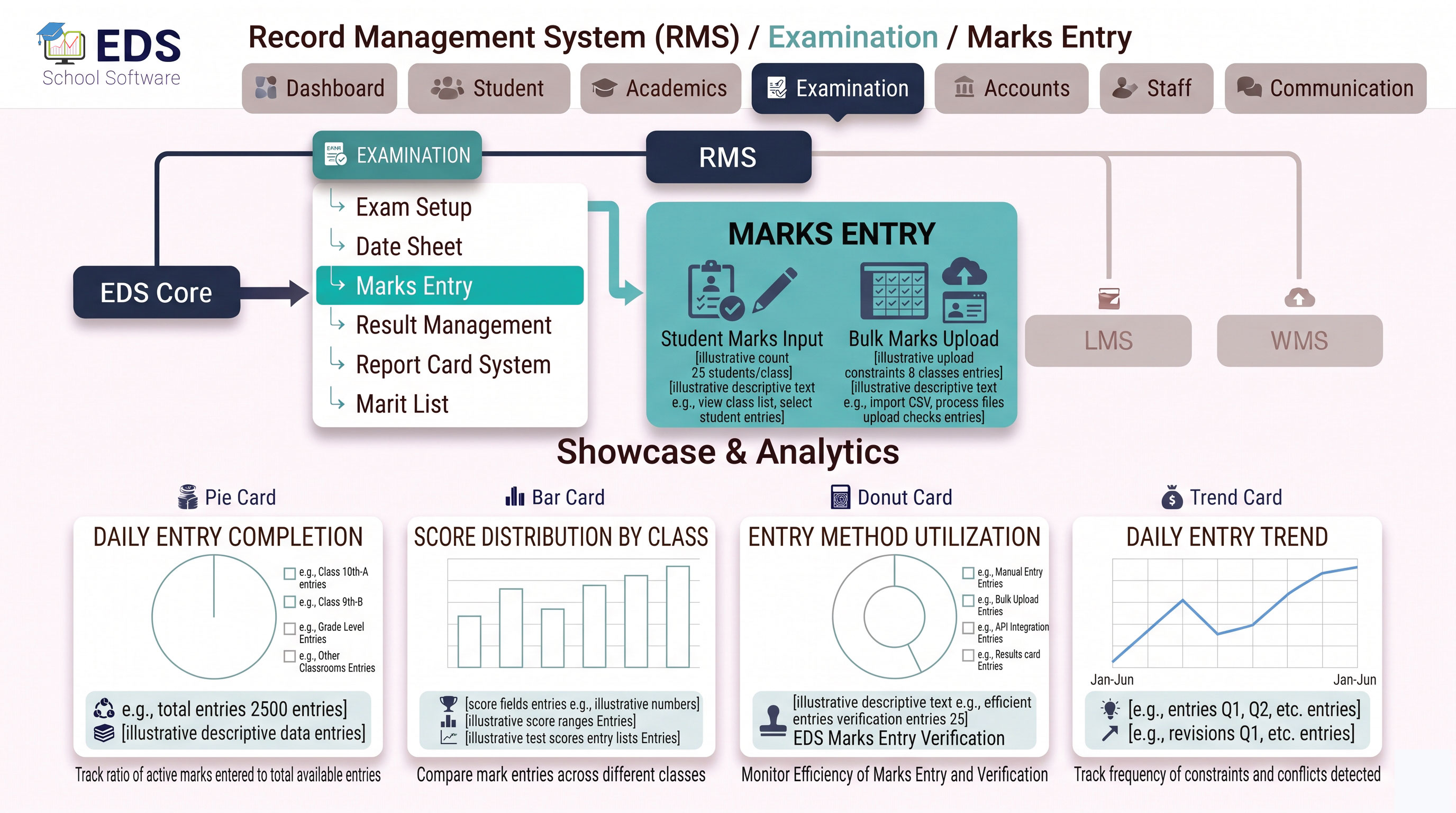
EDS Marks Entry System lets teachers enter student exam marks online from any device, fast, accurate and error-checked, with results and report cards generated automatically once entry is complete.
What is an Online Marks Entry System?
An online marks entry system replaces manual mark sheets and spreadsheets with a digital interface for recording student exam scores. Teachers enter marks once per subject and the system automatically validates entries, prevents common errors and feeds directly into result calculation and report card generation.
Simple Definition: EDS Marks Entry System means teachers type marks once for each student, the system checks for errors automatically and immediately makes the data available for result calculation and report card generation. No manual mark sheet transfers.
How Marks Entry Works in EDS
Teacher logs into EDS and selects the specific exam, class and subject to enter marks for.
All enrolled students for that class appear in a simple list ready for marks entry.
Type marks obtained per student, system prevents entering marks above total marks set.
Submit marks and they instantly feed into result calculation and report card generation.
Key Features of EDS Marks Entry System
System prevents entering marks higher than maximum marks, no data errors possible.
Enter marks from mobile, tablet or computer, anywhere with internet connection.
Different subject teachers enter marks independently, all compiled automatically.
Simple list format allows entering marks for entire class quickly and efficiently.
Review and edit marks before final submission to correct any typing mistakes.
Marks feed directly into result calculation once submitted, no manual transfer needed.
Related Examination Features
Enter Exam Marks Online with EDS
Free trial for Pakistani schools and colleges. No credit card required. Urdu and English support.